
Penguin ePulse · Market listening
Social media listening tools.
Stay close to the evidence.
Explore a brand, campaign or market question through scoped research briefs and source links. Penguin ePulse Market Listening keeps the research question and collection limits in view as you review findings.
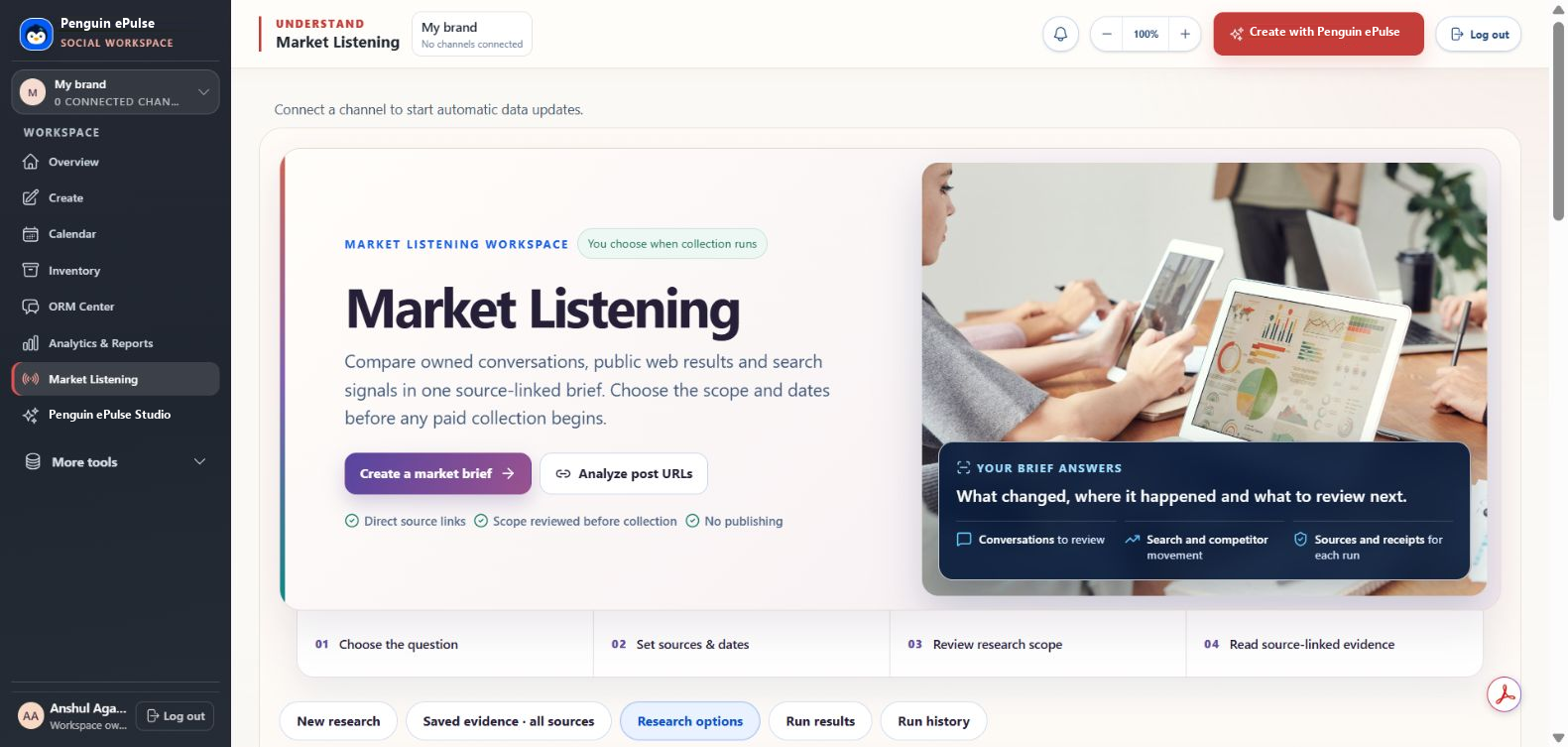
Saved product view · market research scope and sources
Explore the signals
See the pattern.
Ask the next question.
Switch the workflow and time range. Explore the example, then bring your own accounts to a demo.
Example mentions
3347 illustrative daily valuesIllustrative data
Not a customer result
Select a bar to inspect its value.
View sample data
| Period | Value |
|---|---|
| Mon | 34 |
| Tue | 41 |
| Wed | 38 |
| Thu | 52 |
| Fri | 68 |
| Sat | 44 |
| Sun | 57 |
This website illustration uses sample values. Actual data and available actions depend on connected accounts, permissions and source coverage.
The workflow, in context.
Social listening examines conversations and signals relevant to a brand or topic. Penguin ePulse Market Listening supports scoped research briefs with source links. Coverage depends on the chosen sources, provider access and collection scope.
Choose the question first
Start with a brand, topic or set of post URLs. Define the dates and scope so the brief answers a specific research question.
Review the collection
Inspect research options and expected scope before a run. Some collection can use paid providers; availability and cost depend on the setup.
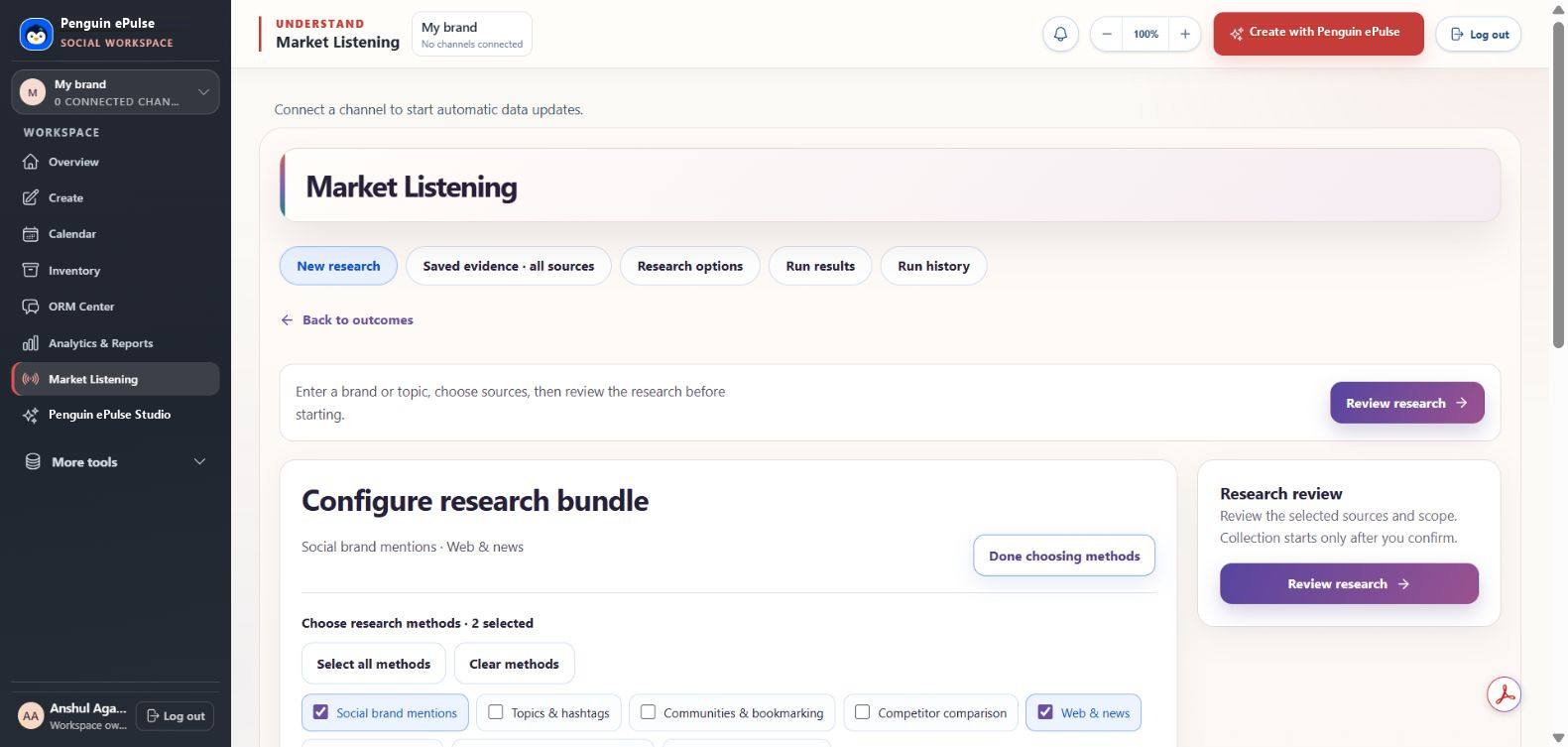
Saved product view · research configuration
Follow the evidence
Use direct source links to check findings. Keep owned-channel conversations, public web results and search signals distinct when interpreting the brief.
A few useful answers
Clear before you start.
Is this an exhaustive live feed of every social network?
No such coverage claim is made. Review the exact sources, access and collection limits for your use case.
Can I analyze specific post URLs?
The saved Market Listening interface includes an Analyze post URLs entry point. Validate the networks, URL types and output you need during the demo.
Keep exploring
Connected to your next step.
Social inbox & ORM
A calmer place to review connected social conversations and decide the next response.
Explore the workflow →Listening vs monitoring
Two related practices. Different questions, scope and decisions.
Read the guide →Security
A dedicated place for verified product security information.
Explore the workflow →A practical evaluation
What should social media listening tools help you investigate?
Social media listening tools help teams examine conversations and signals around a brand, topic or market question. Penguin ePulse Market Listening supports scoped research briefs with source links. Coverage depends on selected sources, provider access and collection settings; inspect those limits before interpreting findings as a picture of the wider market.
Evaluate social listening software by its evidence trail.
Brand listening and brand monitoring start with different questions. Monitoring can surface an item to review; listening interprets a collection of evidence. Before comparing a sentiment chart or mention total, check what was collected and how it was selected.
| Research requirement | Ask to see | Interpretation to avoid |
|---|---|---|
| Relevant sources | Which networks, public web sources or owned conversations are in scope | Treating selected sources as every public mention |
| A clear question | The brand terms, topic, dates and collection settings | Combining unrelated conversations into one apparent trend |
| Traceable findings | Direct source links and the context behind a summary | Accepting an AI summary without checking its supporting material |
| A repeatable comparison | Matched scope and periods for campaign or competitor research | Comparing totals drawn from unequal source coverage |
| Practical collection | Provider access, expected scope and any collection costs | Assuming every requested dataset is available in the current setup |
Turn a broad topic into an answerable question.
Instead of asking what people think about a brand in general, choose a decision: which questions about a campaign need clearer answers? Define the terms, period and sources, then review a sample for relevance. Follow the source links behind important findings and note what the collection leaves out. Bring that question to the demo to evaluate whether the research scope fits your use case. This approach makes the brief easier to challenge, repeat and use in a content or customer-experience decision.
Questions teams ask before choosing a tool.
What is the difference between social listening and brand monitoring?
Brand monitoring identifies relevant mentions or activity for review. Social listening interprets patterns and context across a defined collection. Both need explicit sources and coverage; monitoring one connected account does not establish broad public listening.
Does Penguin ePulse capture every public social mention?
No such coverage claim is made. Review the exact sources, provider access and collection limits for your research question. Market Listening brings scoped evidence into a brief; its coverage must be checked for the intended use.
Can AI summaries replace reading the original sources?
Use a summary to organize the review, then inspect the supporting sources for findings that affect a decision. Context, relevance and collection gaps can change the meaning of a result. A source link is a starting point for verification.
Go deeper on the decisions behind the workflow.
- Understand social listening and its evidence requirements
- Design a brand listening program
- Evaluate social listening data coverage
- Compare social listening tools beyond coverage claims
Updated October 4, 2026. Product coverage depends on connected accounts, permissions and the configured sources.
Inside Penguin ePulse
How do I use Penguin ePulse for brand listening?
Use Penguin ePulse Market Listening to frame a research question, select sources and dates, review the collection scope, and read the linked evidence. The saved interface offers two starting points: Create a market brief for a research question, and Analyze post URLs for specific posts.
Choose the starting point that matches your question.
| Starting point | Example question | What to verify |
|---|---|---|
| Create a market brief | What concerns appear in the selected sources about delayed deliveries? | Topic boundaries, date range, owned conversations, public web results and search signals included in the collection. |
| Analyze post URLs | What questions need follow-up around this specific post? | Supported network and URL type, accessible evidence and the permissions needed for the requested analysis. |
These are illustrative research questions, not reported customer findings. The saved product screenshot shows the entry points and the four-stage workflow: choose the question, set sources and dates, review research scope, and read source-linked evidence.
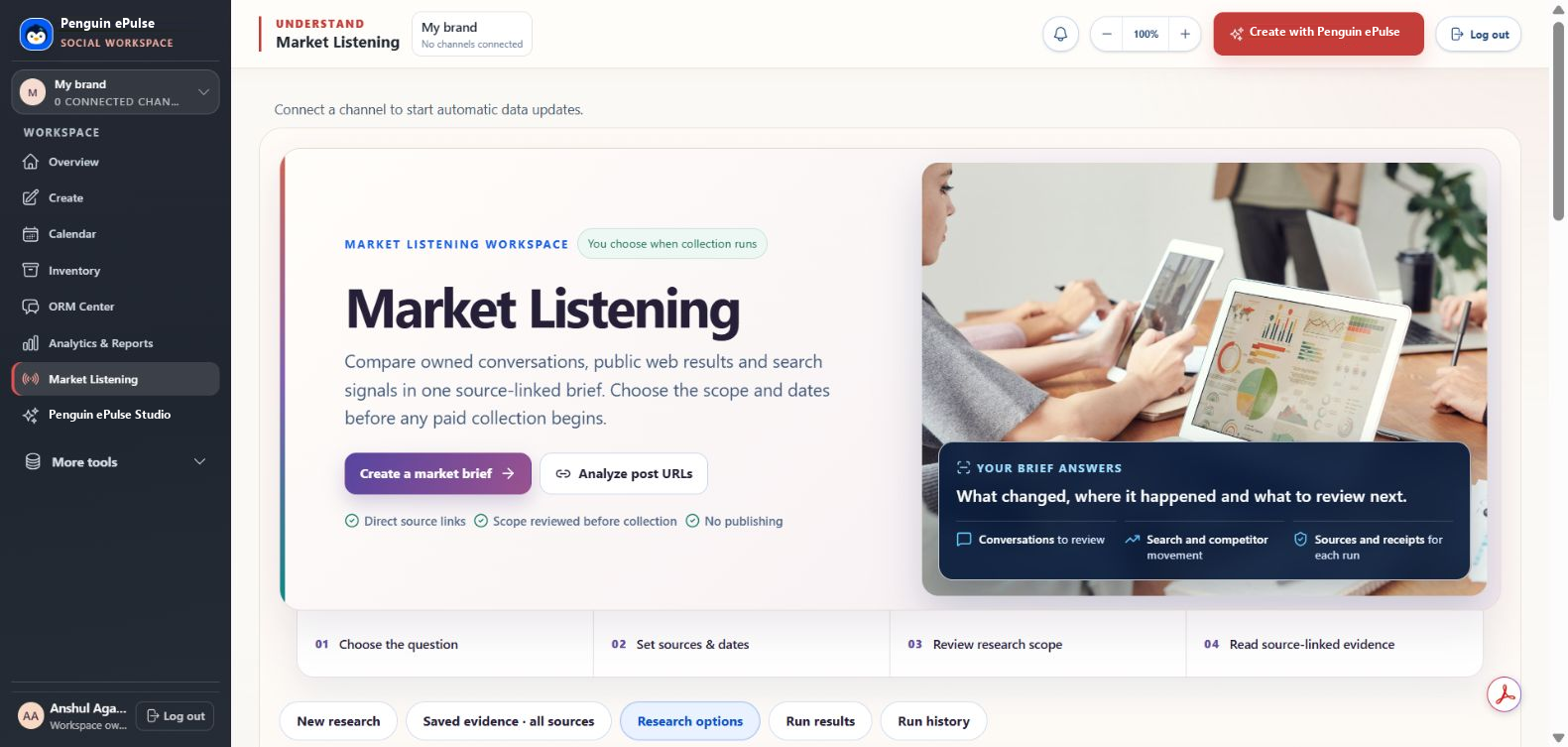
Review scope before collection begins.
The screenshot states that you choose when collection runs and review scope before any paid collection begins. Source and provider availability affect what can be collected. The saved view also shows no connected channels, so it cannot demonstrate automatic owned-channel updates or complete social-network coverage.
Use a brief to organize the next review.
Keep each finding attached to its source and collection period. Use the New research, Saved evidence, Research options, Run results and Run history areas shown in the interface to evaluate the workflow during your demo. An analysis is a research aid; the screenshot explicitly says No publishing. Start with the social listening brief worksheet and our data coverage guide to document the limits alongside the question.
Bring your social
into focus.
Explore the workflows your team needs, with the product and its context in view.
Book a demo ↗Market Listening · Data Intelligence
From a market question to inspectable evidence.
Market Listening frames the research question and source scope. Data Intelligence provides a configured research workflow for reviewing available source records, collections and original links. Define the entities, geography and period, check provider readiness, then separate observation from interpretation in your brief.
Available sources and collection actions depend on account setup, valid provider access and approved scope. Some research carries provider costs. Confirm the intended sources and access in your demo before running a collection.
Explore industry research use cases →