
Penguin ePulse · Platform overview
Social media management platform.
Your work, connected.
Bring content planning, connected-account conversations, analytics and market research into one social media workspace. Start with the workflow your team needs, then see the accounts, permissions and evidence behind it.
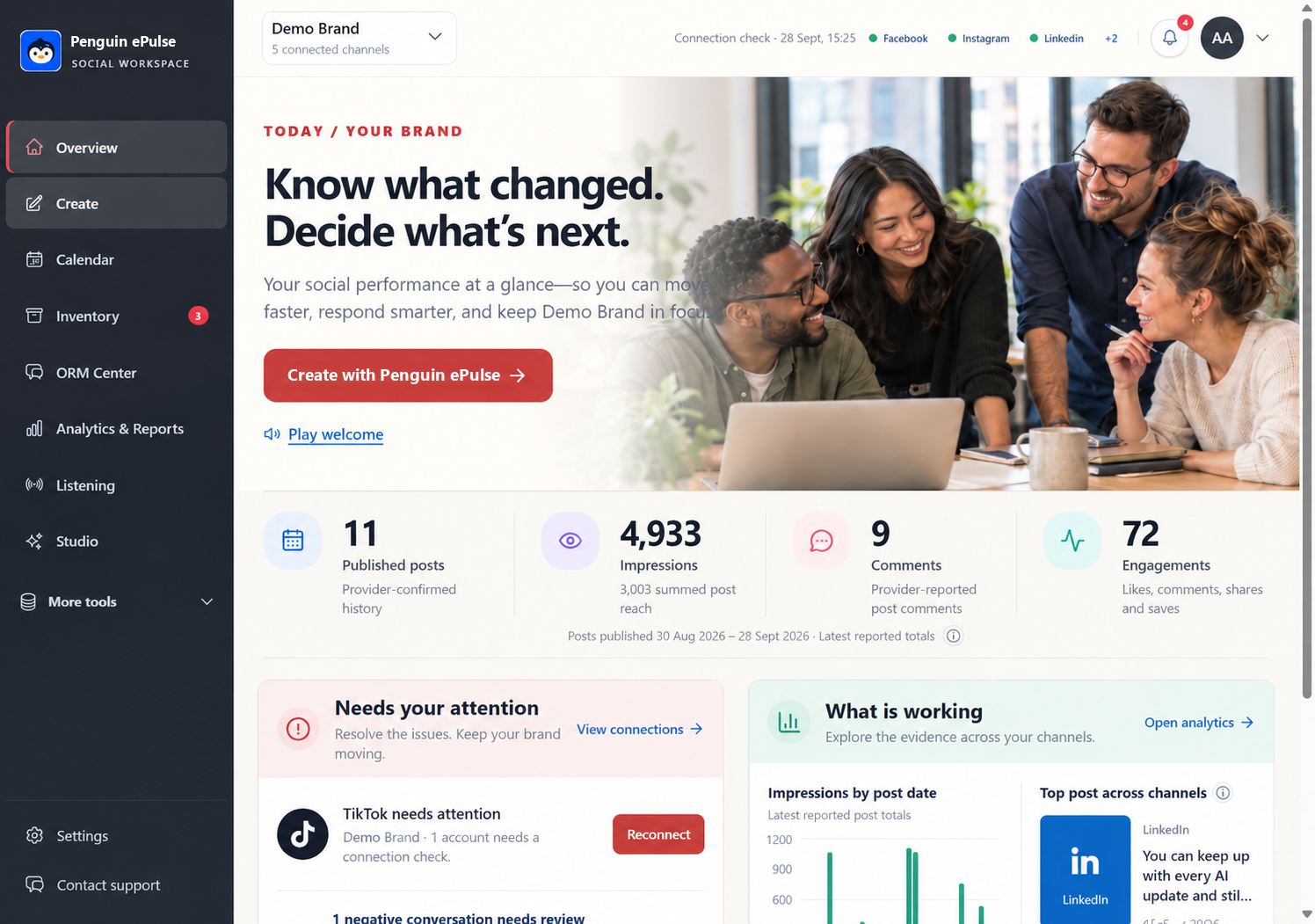
Anonymized product view · Demo Brand · example workspace data
Explore the signals
See the pattern.
Ask the next question.
Switch the workflow and time range. Explore the example, then bring your own accounts to a demo.
Example impressions
11,3107 illustrative daily valuesIllustrative data
Not a customer result
Select a bar to inspect its value.
View sample data
| Period | Value |
|---|---|
| Mon | 1,200 |
| Tue | 1,480 |
| Wed | 1,320 |
| Thu | 1,710 |
| Fri | 1,860 |
| Sat | 1,640 |
| Sun | 2,100 |
This website illustration uses sample values. Actual data and available actions depend on connected accounts, permissions and source coverage.
Find your next workflow.
The Penguin ePulse platform combines Create, Calendar, Inventory, ORM Center, Analytics & Reports, Market Listening and Studio. Choose a workflow below to see what it does and where connection or permission checks apply.
Publishing & calendar
Bring drafts, media and calendar planning together so the next post starts with context.
Explore the workflow →Social inbox & ORM
A calmer place to review connected social conversations and decide the next response.
Explore the workflow →Analytics & reporting
Bring performance into view with the account, dates and data behind each number.
Explore the workflow →Market listening
Bring owned conversations, public web research and search signals into a source-linked market brief.
Explore the workflow →AI Studio
An AI assistant within your social workspace, with the team still in control of the next action.
Explore the workflow →Connections
An account connection is the starting point. Available actions still depend on the channel and its permissions.
Explore the workflow →A practical evaluation
What should a social media management platform bring together?
A social media management platform connects the work of planning content, publishing, reviewing conversations and measuring performance. Penguin ePulse brings Create, Calendar, Inventory, ORM Center, Analytics & Reports, Market Listening and AI Studio into a shared workspace. Available actions depend on connected accounts and channel permissions.
Compare platforms against the work your team actually does.
A feature list is a starting point. When comparing social media management tools, follow one task from its first draft to the review afterward. The handoffs between those steps often matter as much as the individual screens.
| Your team's task | Where to start in Penguin ePulse | What to verify in the demo |
|---|---|---|
| Prepare a campaign | Create, Calendar and Inventory | Channel formats, account permissions and how draft status changes |
| Review customer conversations | ORM Center | Supported comment and message sources, original threads and reply permissions |
| Explain account performance | Overview and Analytics & Reports | Metric definitions, date range, data availability and required export formats |
| Research a market question | Market Listening | Collection scope, source links, provider availability and any collection costs |
| Work with an AI assistant | AI Studio | What workspace context is used and how your team reviews the next action |
Download the platform evaluation worksheet · CSV, no registration required.
Bring one real workflow to the demo.
Choose a campaign your team knows well. Bring a representative post, a customer question and the reporting question you need to answer. Walk through how each item is handled, which account is involved and where a person needs to make a decision. Finish by checking whether the next teammate has the context to continue. This gives you a practical basis for comparing a unified platform with separate scheduling, inbox and reporting tools.
Questions teams ask before choosing a tool.
What is the difference between a scheduler and a social media management platform?
A scheduler focuses on preparing posts and when they should publish. A broader platform can also support conversations, account analytics and team workflows. Penguin ePulse has separate publishing, ORM, analytics and research surfaces; verify the specific actions your channels require.
Can one workspace replace every social media tool?
That depends on the channels, formats, reporting depth and permissions your team needs. Use a matched task to compare platforms. A clear account connection and a useful dashboard do not establish support for every action or historical dataset.
How should an agency evaluate a platform?
Use representative client workflows and confirm how account context, responses and reporting stay attached to the correct work. Check your required handoffs during the demo rather than assuming a general platform label covers them.
Go deeper on the decisions behind the workflow.
- Build a social media strategy around a clear operating choice
- Plan a social media content calendar
- Compare social media analytics tools with a matched task
Updated October 4, 2026. Product coverage depends on connected accounts, permissions and the configured sources.
Bring your social
into focus.
Explore the workflows your team needs, with the product and its context in view.
Book a demo ↗