
Agency · Analytics and Reports
Turn an agency report into the next client decision
Agency social media reporting should explain the client objective, available account evidence and recommended next action. Penguin ePulse Analytics and Reports can support review of performance with dates and source context. Keep account activity separate from independently verified business outcomes and make assumptions, gaps and proposed tests visible in the review.

Illustrative industry scenes · Anonymous workflows, not customer stories.
Illustrative example · Agency
Agency social media reporting, made visible.
Review the period and the channel mix before recommending the next action. Switch the sample period to see the counts and the mix together.
Campaign review over time
Weekly counts · 6-week example
Select a chart point to inspect the sample counts.
Example mix
Categories in the illustrative sample
View the 6-week example data
| Week | Organic interactions | Paid interactions |
|---|---|---|
| 1 | 312 | 112 |
| 2 | 429 | 154 |
| 3 | 377 | 136 |
| 4 | 325 | 117 |
| 5 | 442 | 159 |
| 6 | 390 | 140 |
Campaign review over time
Weekly counts · 12-week example
Select a chart point to inspect the sample counts.
Example mix
Categories in the illustrative sample
View the 12-week example data
| Week | Organic interactions | Paid interactions |
|---|---|---|
| 1 | 312 | 112 |
| 2 | 429 | 154 |
| 3 | 377 | 136 |
| 4 | 325 | 117 |
| 5 | 442 | 159 |
| 6 | 390 | 140 |
| 7 | 507 | 183 |
| 8 | 455 | 164 |
| 9 | 572 | 206 |
| 10 | 520 | 187 |
| 11 | 637 | 229 |
| 12 | 585 | 211 |
Illustrative example numbers, not measured Penguin ePulse performance or customer results. Replace these with your approved records when evaluating the workflow.
Showing 6 weeks of illustrative example data.
The situation your team needs to change.
An agency sends a monthly deck with charts but the client still asks what should change. The total interactions are accurate, yet they combine a recruitment post, a giveaway and a product explanation. The account lead needs to connect the evidence to a decision the client can approve rather than producing another page of unexplained totals.
The review describes activity without connecting different content purposes to a client action.
The review states a supported finding, a specific recommendation and the evidence that will be checked next.
How to approach agency social media reporting.
Agree the reporting question
Choose the client, connected accounts, objective and period. Define the metrics available and identify missing data. Separate social reporting from website, commerce or CRM claims unless those sources have been independently validated for the review.
Explain what the content was meant to do
Group comparable posts by purpose and inspect representative examples. Note timing, format and distribution differences. Use available account metrics and relevant audience questions to explain the finding rather than choosing the largest number as the strongest content.
Write the next decision in plain language
Recommend one change with an owner, timing and evaluation method. AI Studio can help prepare a working explanation, but the account lead should check every claim against the report source. Validate required exports in the demo; do not assume white-label or scheduled delivery functionality.
Inside the workspace
The product behind the workflow.
Connect the operating question to the relevant Penguin ePulse features. Use your own account and sources to evaluate the next step.
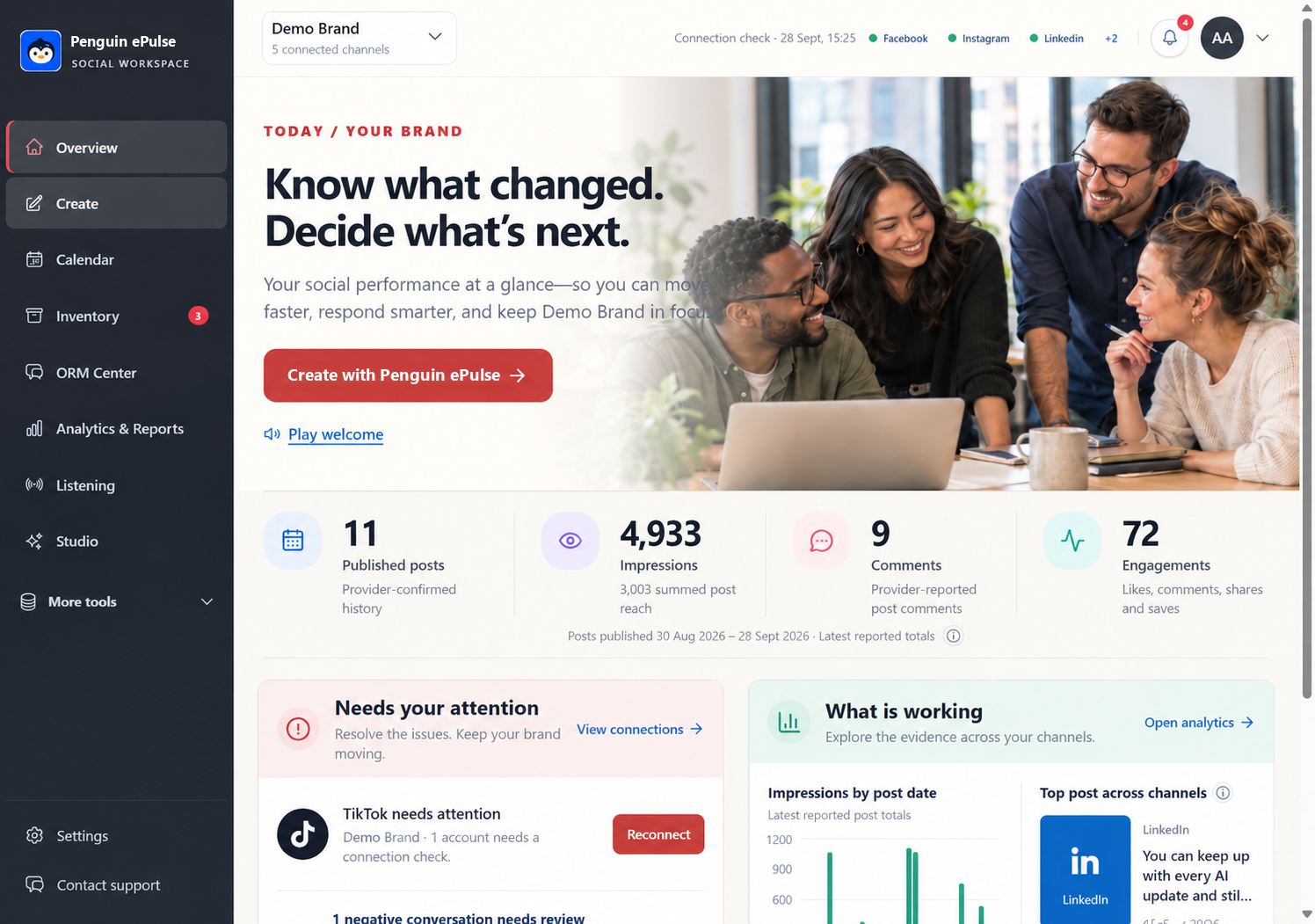
Where the Penguin ePulse features fit.
| Product surface | Role in this workflow |
|---|---|
| Analytics and Reports | Review account performance with explicit dates, metric definitions and data availability. |
| AI Studio | Develop a working draft or explanation from available workspace context, with human review of the next action. |
| Calendar | Review the planned content sequence and the account context before publishing. |
Confirm the exact connected accounts, available actions and data before rollout. Research coverage depends on configured sources and provider access; some collection can carry provider costs. Human review and specialist handoffs follow your team's process.
Measure the decision, not just the activity.
| Measure to review | What the evidence should show |
|---|---|
| Decision clarity | Check whether the client can identify the requested action and why the evidence supports it. |
| Comparable content performance | Review source-defined metrics within matched content groups and periods. |
| Measurement gaps resolved | Track instrumentation or data-access tasks separately from campaign outcomes. |
Set your baseline from a comparable period and record the source for each measure. These are evaluation criteria, not measured Penguin ePulse customer results. Use approved external records when the business outcome sits outside the social workspace.
Questions about agency social media reporting
Can an agency report include client revenue?
Only when appropriate commercial evidence and an agreed attribution method support the claim.
Are white-label and scheduled reports assumed?
No. Demonstrate required export formats, branding and delivery features before committing to them.
What makes a useful monthly social report?
A clear objective, explicit sources and dates, matched comparisons, limitations and a specific next client decision.
Sources and operating boundaries.
Validate account access, client boundaries and handoffs with representative users before rollout. The examples do not claim unrestricted white-labeling, automated routing or support for every channel.
- FTC: social endorsement disclosures — Guidance on disclosing relevant relationships in social endorsements.
- Google Analytics: campaign URL parameters — Reference for identifying referral campaigns; conversion tracking requires a separate measurement setup.
External references support the information-handling or measurement context. They do not certify Penguin ePulse or independently verify its product capabilities.
Go deeper on the operating decisions.
More agency use cases.



See this workflow with your team's context.
Bring an anonymized example and the account or research source you need. Walk through the source, the next action and the review afterward. The demo should establish which parts fit your current setup and which require another system or specialist.