
Automobile · Create and Inventory
Give an automotive launch a clear content journey
Automotive social media content planning turns a model launch into a useful sequence of buyer questions. Use Penguin ePulse Create, Inventory and Calendar to prepare assets and inspect the planned release. Tie specifications, availability and offers to reviewed market-specific information, then adapt each supported channel version without losing important context.

Illustrative industry scenes · Anonymous workflows, not customer stories.
Illustrative example · Automobile
Automotive social media content planning, made visible.
See the sequence from a working draft to a reviewed publishing plan. Switch the sample period to see the counts and the mix together.
Content preparation over time
Weekly counts · 6-week example
Select a chart point to inspect the sample counts.
Preparation stages
Stages in the content sample
View the 6-week example data
| Week | Prepared items | Reviewed items |
|---|---|---|
| 1 | 41 | 28 |
| 2 | 50 | 36 |
| 3 | 46 | 35 |
| 4 | 55 | 44 |
| 5 | 51 | 35 |
| 6 | 60 | 43 |
Content preparation over time
Weekly counts · 12-week example
Select a chart point to inspect the sample counts.
Preparation stages
Stages in the content sample
View the 12-week example data
| Week | Prepared items | Reviewed items |
|---|---|---|
| 1 | 41 | 28 |
| 2 | 50 | 36 |
| 3 | 46 | 35 |
| 4 | 55 | 44 |
| 5 | 51 | 35 |
| 6 | 60 | 43 |
| 7 | 56 | 43 |
| 8 | 65 | 52 |
| 9 | 61 | 41 |
| 10 | 70 | 50 |
| 11 | 66 | 50 |
| 12 | 75 | 60 |
Illustrative example numbers, not measured Penguin ePulse performance or customer results. Replace these with your approved records when evaluating the workflow.
Showing 6 weeks of illustrative example data.
The situation your team needs to change.
An automotive team has striking launch imagery but mixed information about variants, local availability and how to arrange a showroom visit. A single global caption cannot answer all of those questions. The content lead needs a sequence that helps the buyer move from discovery to a relevant regional next step.
Launch posts repeat visual assets while regional specifications and next steps remain unclear.
A reviewed content sequence connects discovery, practical model information and the appropriate local destination.
How to approach automotive social media content planning.
Define the market and buyer question
Choose the market, model variant and audience for the content. Confirm the reviewed source for specifications, availability and any offer. Keep claims about performance, charging or safety tied to the correct conditions and approved material rather than shortening away essential context.
Prepare distinct creative tasks
Use Create and Inventory to build an introduction, a feature explanation and a practical next-step asset. Check captions and visuals together for model or trim mismatches. Identify the version that local teams should use through the established editorial process.
Plan and review the release
Inspect the intended accounts and dates in Calendar. After publication, review available metrics and sample buyer questions to find missing explanations. Use separately verified showroom or lead evidence when assessing commercial outcomes; engagement alone does not show a completed visit.
Inside the workspace
The product behind the workflow.
Connect the operating question to the relevant Penguin ePulse features. Use your own account and sources to evaluate the next step.
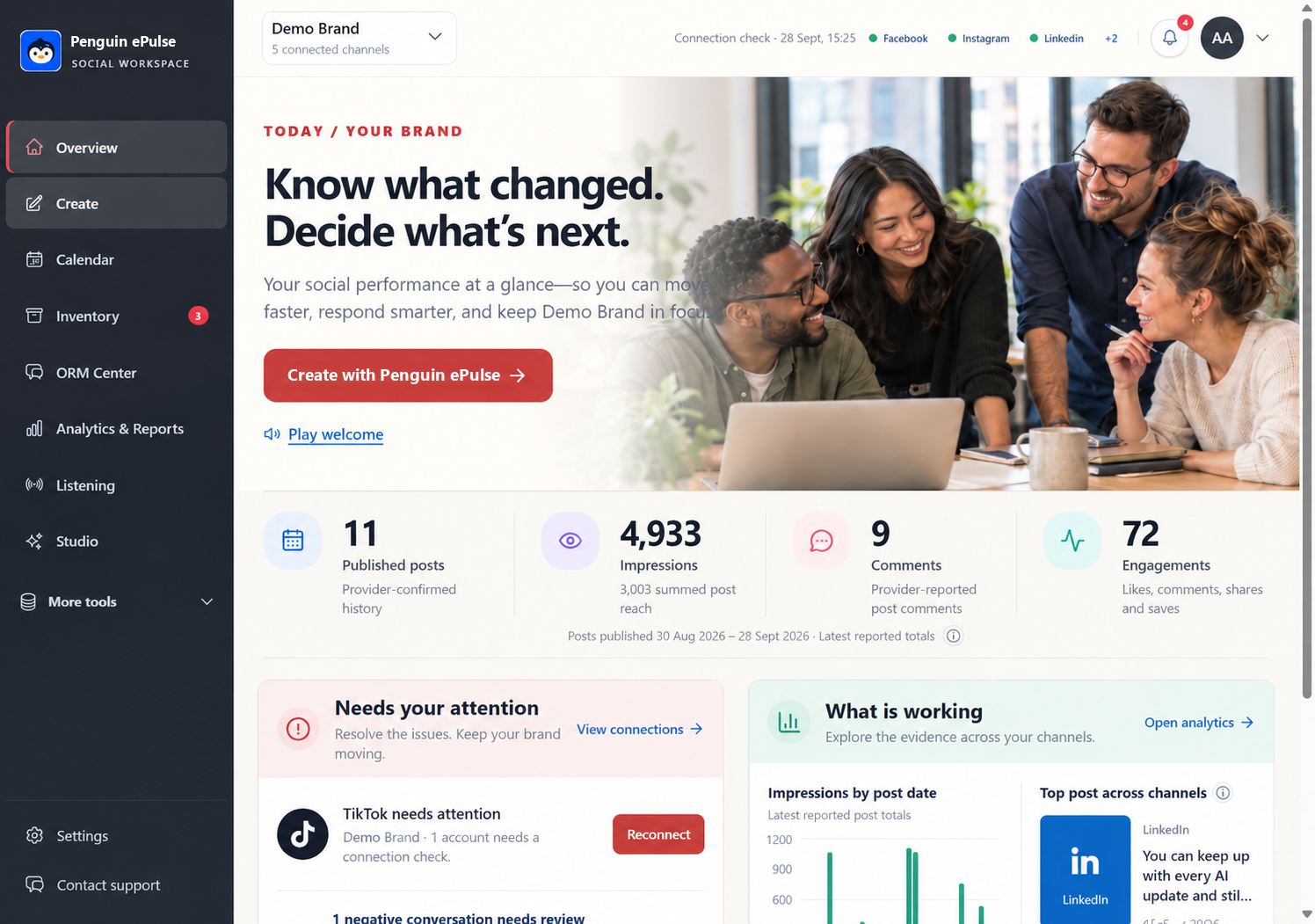
Where the Penguin ePulse features fit.
| Product surface | Role in this workflow |
|---|---|
| Create and Inventory | Prepare channel-specific drafts and keep working assets close to the content task. |
| Calendar | Review the planned content sequence and the account context before publishing. |
| Analytics and Reports | Review account performance with explicit dates, metric definitions and data availability. |
Confirm the exact connected accounts, available actions and data before rollout. Research coverage depends on configured sources and provider access; some collection can carry provider costs. Human review and specialist handoffs follow your team's process.
Measure the decision, not just the activity.
| Measure to review | What the evidence should show |
|---|---|
| Model-information clarity | Review recurring questions about variants, availability and conditions to identify gaps in the content. |
| Available content response | Compare source-defined activity across posts serving a similar launch purpose. |
| Verified next-step outcomes | Use separately measured appointment or lead records when reporting showroom interest. |
Set your baseline from a comparable period and record the source for each measure. These are evaluation criteria, not measured Penguin ePulse customer results. Use approved external records when the business outcome sits outside the social workspace.
Questions about automotive social media content planning
What belongs in an automotive launch calendar?
Include the target market, model or variant, approved information source, creative assets, channel sequence and relevant local destination.
Can the same offer be posted across regions?
Confirm market-specific availability, terms and approved wording before preparing each version.
Do video views prove test-drive demand?
No. Use appropriate lead or appointment evidence for that conclusion and report social viewing separately.
Sources and operating boundaries.
Vehicle safety questions require the appropriate specialist and official information. Social listening does not diagnose a defect or establish whether an individual vehicle is affected.
- NHTSA: official recall information — Official recall lookup; individual vehicle status requires an appropriate check.
- Google Analytics: campaign URL parameters — Reference for identifying referral campaigns; conversion tracking requires a separate measurement setup.
External references support the information-handling or measurement context. They do not certify Penguin ePulse or independently verify its product capabilities.
Go deeper on the operating decisions.
More automobile use cases.



See this workflow with your team's context.
Bring an anonymized example and the account or research source you need. Walk through the source, the next action and the review afterward. The demo should establish which parts fit your current setup and which require another system or specialist.